Sentry Recovery finds and restores deleted Tesla Sentry Mode and Dashcam clips from formatted or corrupted USB drives on macOS and Windows — organised by camera angle and Sentry event, with thumbnails and confidence scores. Formatted your drive? Your videos are probably still there.
Recovered clips, organised the way Tesla wrote them.
Urgent Recovery
Need footage NOW?
For insurance claims, police reports, and hit-and-run incidents. Every minute the drive is back in the Tesla, recoverable data may be overwritten.
Almost certainly yes, if the drive has not been reused since formatting. Quick format only erases the file system index — your video data is physically still on the drive. Do NOT put the drive back in your Tesla or write anything to it. Download Sentry Recovery, create a disk image of the drive first (preserves the evidence), then scan the image. Recovered clips retain their timestamps and camera positions, which insurance companies accept as evidence.
The clip may have been overwritten by newer recordings if your drive was full, or it may still be in a deleted state. Remove the USB drive from the car immediately to prevent further overwrites. Scan it with Sentry Recovery — deleted clips that have not been overwritten appear with confidence scores showing their integrity. Even partially recovered footage (lower confidence) may contain enough visual data to identify a license plate.
Tesla stores Sentry events in the SentryClips folder, but if the drive runs low on space, older clips are automatically deleted to make room. The deleted data is still on the drive until those sectors are overwritten. Sentry Recovery's file carving scans the raw disk sectors — not the file system — so it finds these deleted clips even though they do not show up in the file browser.
Recovered files are byte-for-byte identical to the originals — they are the same MP4 files Tesla created, not reconstructions. The confidence score indicates file integrity. Clips scoring 85-100 will play back perfectly. Provide the original files along with the confidence scores as documentation.
There is no time limit — what matters is whether the sectors have been overwritten, not how long ago the files were deleted. A formatted drive sitting in a drawer for a year is fully recoverable. A formatted drive put back in the Tesla for one day of driving may have significant overwrites. The rule: stop using the drive the moment you realize footage is missing.
Capabilities
Built only for Tesla footage.
Cluster-Aligned Scanning
Scans only at filesystem cluster boundaries — ~131,000x fewer comparisons than byte-by-byte scanning on typical 128KB-cluster exFAT drives. A 128 GB drive scans in minutes, not hours.
~131,000x faster than byte-by-byte
Recovers from formatted drives
Works with corrupted file systems
exFAT + FAT32 support
Confidence Scoring
Every recovered clip gets a 0-100 confidence score based on 7 integrity factors — so you know upfront which clips will play back perfectly.
MP4 header and structure validation
Video data and metadata integrity
Timestamp plausibility check
Tesla-specific dimension bonus
Every Camera Position — AI-Identified
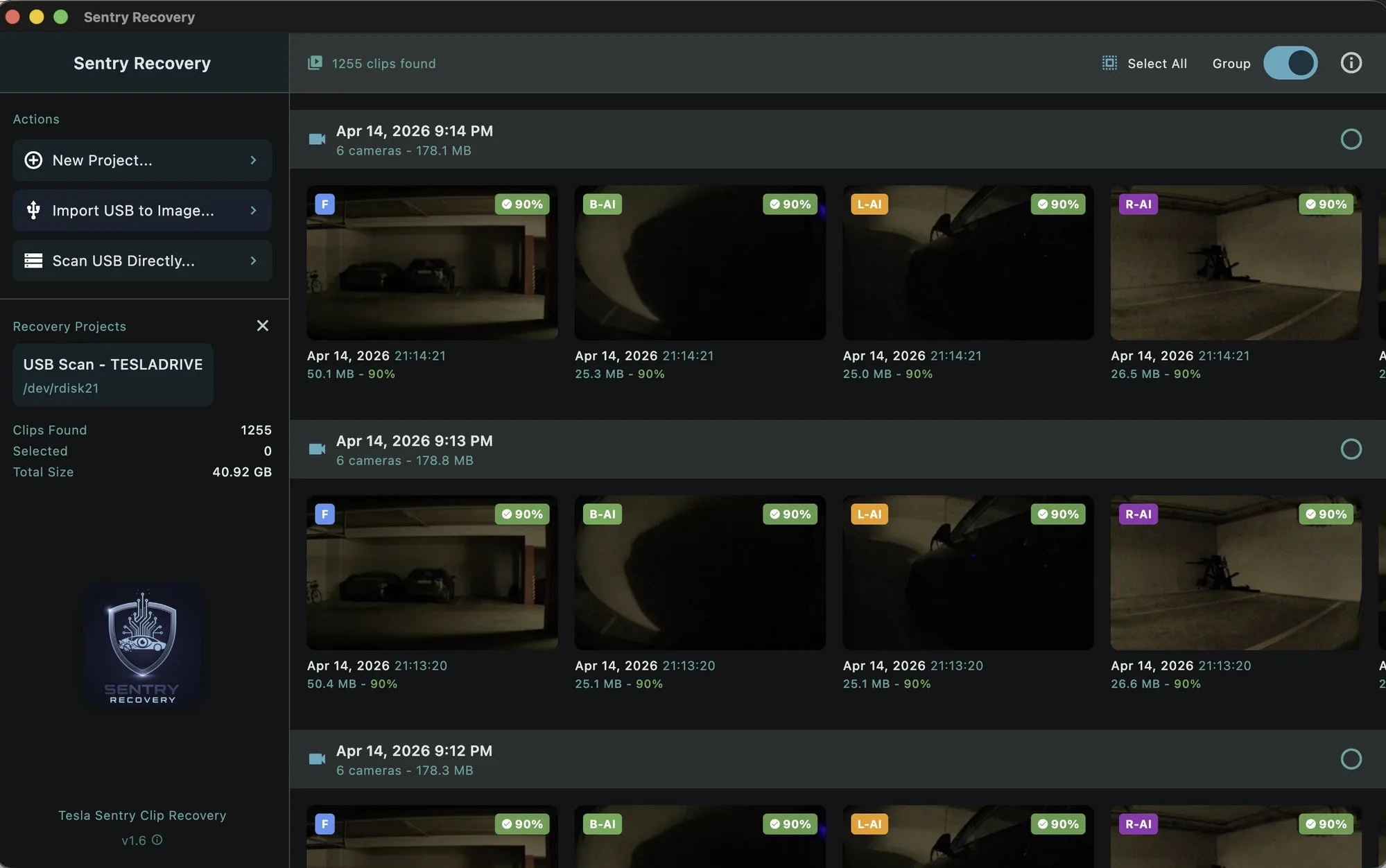
Identifies all Tesla camera angles on both hardware generations: AI4/HW4 cars (2023+) record 6 — front, back, left repeater, right repeater, left pillar, and right pillar; AI3/HW3 cars (pre-2023) record 4, with no pillar cameras. When the original filename survives on the drive, it's recovered byte-for-byte. When the filename has been overwritten, an on-device AI model looks at the clip itself and identifies the camera.
Original filename recovery from directory entries
AI fallback: MobileNet vision model for overwritten entries
Process-of-elimination resolves close calls per Sentry minute
AI-labelled clips badged distinctly in the preview
7-Phase Pipeline
Automated processing from scan to results: scanning, database prep, filename recovery, thumbnail generation, confidence scoring, saving, and completion.
Real-time progress with ETA
FFmpeg-based thumbnail previews
Scan resume from interruption
Memory-efficient streaming mode
Disk Image Safety
Create a bit-for-bit image of your USB drive first. Scan the image, reformat the original drive, and recover at your own pace.
One-click disk imaging
Supports .img, .raw, .dd, .dmg
Faster scanning from internal drive
Read-only — nothing written to source
Batch Recovery
Select individual clips or entire events, then export in batch. Byte-for-byte copies — no re-encoding, no quality loss.
Select by clip or by event group
Original quality preservation
Per-clip progress tracking
Original filenames when available
Simple Process
Simple, safe, powerful.
Four steps from drive-plugged-in to clips-on-your-desktop. No command line, no recovery jargon.
Step 01
Connect your drive
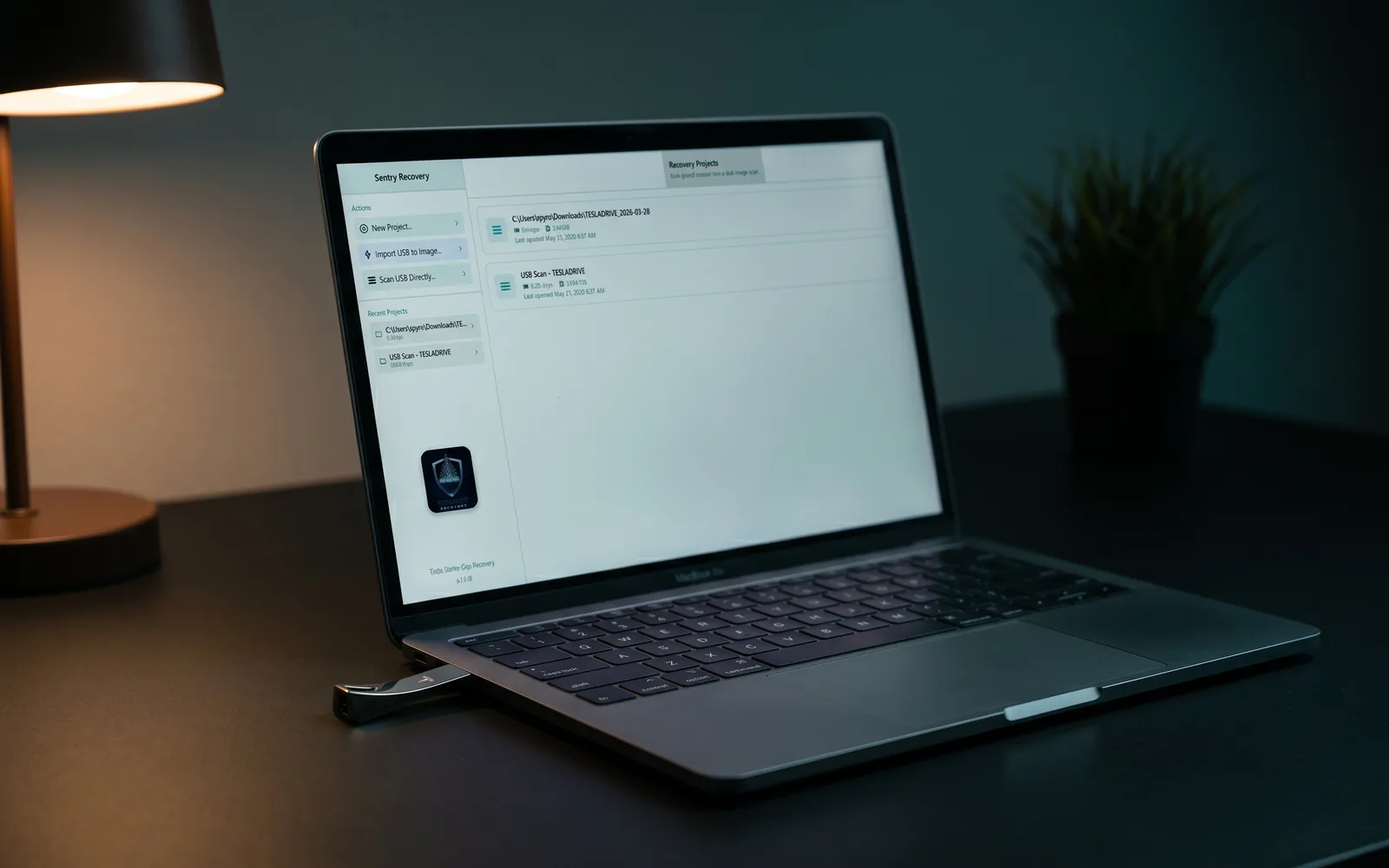
Plug your TeslaCam USB drive straight in — or, if it's failing, unreadable or asking to be formatted, capture a byte-level disk image first and scan that copy instead. Sentry Recovery only ever reads the drive, never writes to it: the deleted clips are still physically on it until Tesla records over them, so the sooner you stop using the drive, the more comes back.
Step 02
Scan
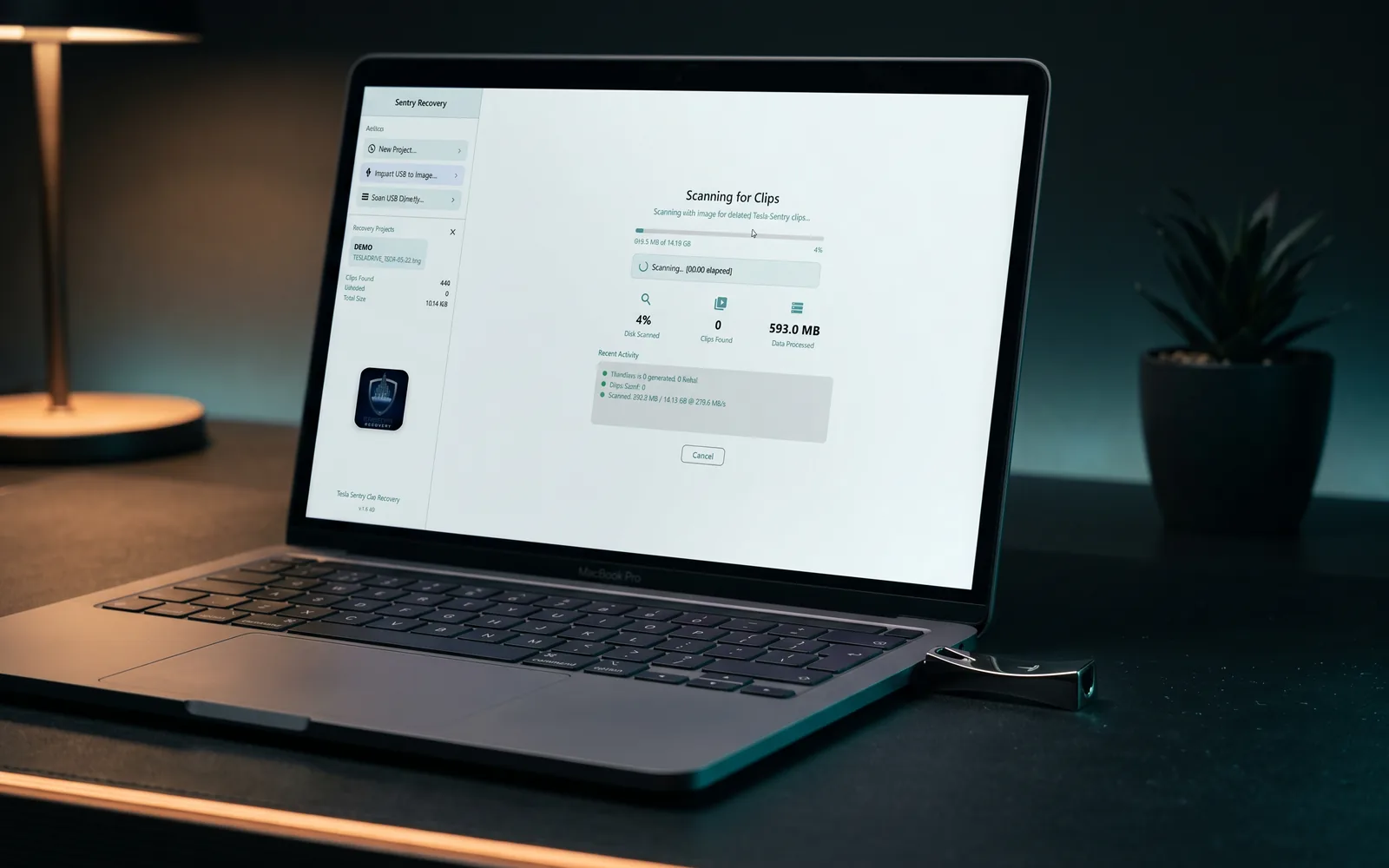
Sentry Recovery reads the raw drive and carves out Tesla clips by their MP4 signatures, so it finds footage even after the filenames are gone or the drive was reformatted — exactly when your file browser and the dashcam viewer show nothing. Clips stream in as they're found (a 128 GB drive is typically 2–5 minutes), with live progress and flat memory use no matter how large the drive.
Step 03
Preview
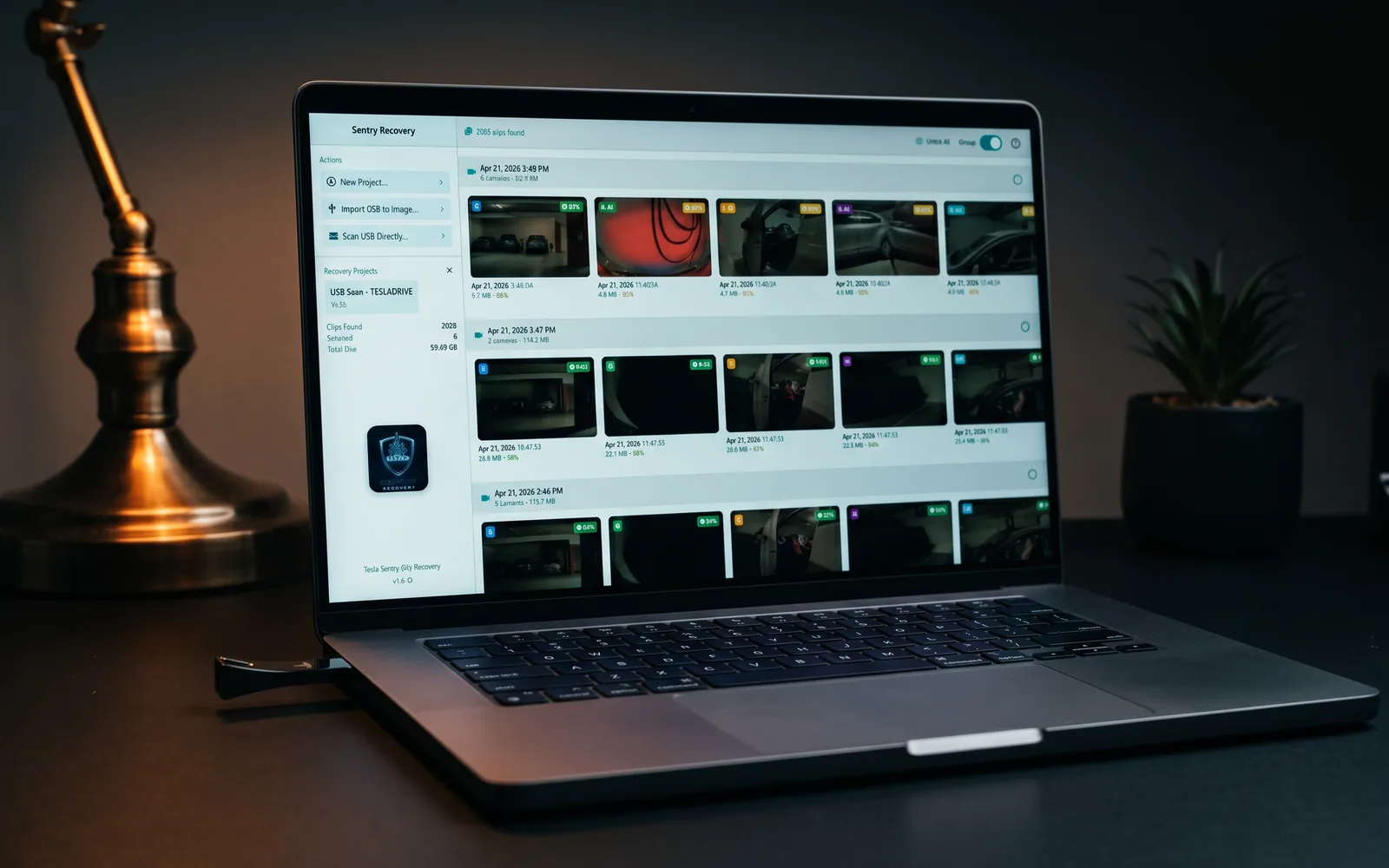
Each recovered clip lands in a grid with a thumbnail, a 0–100 confidence score and its camera position, grouped by Sentry event. Where the original Tesla filename didn't survive, an on-device AI model works out which camera filmed it and flags it — so you see exactly what's recoverable, and how intact, before committing to anything.
Step 04
Recover
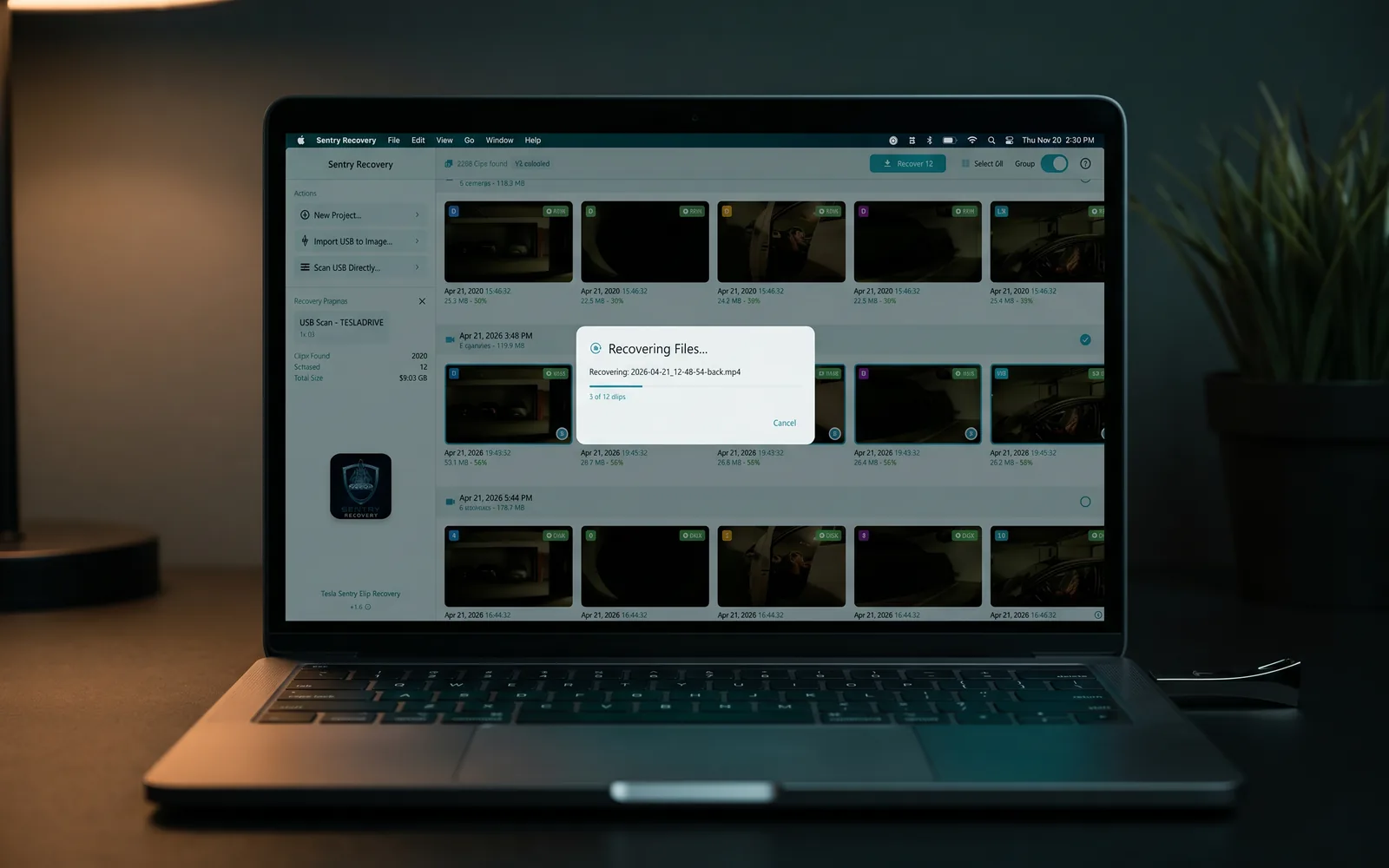
Pick individual clips or whole events and save them wherever you like. They come out byte-for-byte — the exact original files, with no re-encoding and no quality loss — and are laid back into Tesla's own SavedClips / SentryClips / RecentClips folders, so the output drops straight into any Tesla dashcam viewer.
01 · Connect
02 · Scan
03 · Preview
04 · Recover
See it in action
If you can plug in a USB drive, you can use it.
Four minutes from drive-plugged-in to clips-on-your-desktop. No command line, no recovery jargon, no waiting hours for a scan to finish.
Use Cases
When do you need it?
Accidental Deletion
Deleted clips from your dashcam folder that you still need.
Formatted Drive
Accidentally formatted your Tesla USB drive and lost everything.
Corrupted File System
Drive showing errors, not recognised, or clips not visible.
Insurance Claims
Need to recover footage for an incident report or legal matter.
Important: For best results, stop using the drive immediately after data loss. Continued use may overwrite recoverable data.
Simple Pricing
How much does Sentry Recovery cost?
Sentry Recovery is a one-time $29 purchase — there is no subscription. The free trial scans your entire drive and previews every recoverable clip with confidence scores, and recovers up to 3 clips at no cost. The $29 Pro license unlocks unlimited recoveries on both macOS and Windows. Because the free trial lets you confirm recovery on your own drive before paying, all sales are final.
Secure payments by Stripe. Automatic tax calculation included.
EU customers: The free trial lets you verify recovery before purchase. By completing your purchase you give express consent to immediate delivery of the digital content and acknowledge that you thereby lose your statutory 14-day right of withdrawal (Art. 16(m), Directive 2011/83/EU). All sales are final.
Licensing
How does the Sentry Recovery license work?
One $29 payment licenses Sentry Recovery permanently — no subscription, no expiry. After purchase you receive an activation code (SR-XXXX-XXXX-XXXX); enter it with your purchase email inside the app to unlock unlimited recoveries. The license runs on one device at a time and transfers to a new device whenever you need, and every future update is included.
Trial Mode
Download and use Sentry Recovery for free. Full scanning, preview, thumbnails, and confidence scoring available — no payment required, no time limit.
Scan your entire drive for recoverable videos
Preview all clips with thumbnails and confidence scores
Recover up to 3 video clips for free
No time limit on trial — only limits recoveries
Activating Your License
After purchasing, you receive an activation code by email (format: SR-XXXX-XXXX-XXXX). Activate inside the app:
Click "Activate License" in the app
Enter the email address used for purchase
Enter your activation code (SR-XXXX-XXXX-XXXX)
Your license is validated automatically
Enjoy unlimited recoveries — permanently
License Details
Payment: One-time purchase of $29 — no subscription, no recurring charges
Transfer: Re-activate on a new device anytime — previous device is deactivated automatically
Updates: All future updates included at no extra cost
Permanent: One-time purchase, no expiry
Compatibility
What are the system requirements?
Sentry Recovery runs on macOS 14 (Sonoma) or later — Apple Silicon — and on 64-bit Windows 10 or 11, with a native build for both x64 (Intel/AMD) and Arm (Arm64) PCs. It needs Full Disk Access on macOS, or administrator privileges on Windows, to read the USB drive directly, plus enough free space to hold the clips you recover.
macOS
macOS 14.0 (Sonoma) or later
Apple Silicon (M-series)
Full Disk Access permission required
Sufficient storage for recovered videos
Windows
Windows 10 or Windows 11
64-bit processor — x64 (Intel/AMD) or Arm64
Administrator privileges for raw disk access
Sufficient storage for recovered videos
Under the Hood
Technical details.
Cluster-Aligned File Carving
Built with Flutter (UI) and Rust (core engine) connected via FFI. The Rust carving engine scans at cluster boundaries for MP4 signatures:
Cluster-Aligned Scanning: Checks 1 position per 131,072 bytes (128KB clusters) — ~131,000x fewer comparisons than byte-by-byte
MP4 Validation: Parses ftyp, mdat, and moov atoms to verify file integrity and extract metadata
Filesystem Parsing: Reads exFAT and FAT32 directory entries (including deleted entries) for original filename recovery
Streaming Mode: Clips saved to SQLite immediately — constant memory usage regardless of drive size
Recovery Limitations
Data recovery is inherently uncertain. Success depends on factors outside the software's control:
Overwritten data cannot be recovered — if new files occupy the same physical sectors, the original data is permanently destroyed
Files under 1 MB or over 100 MB are rejected as outside Tesla's typical clip range
Fragmented files may be incomplete (uncommon — Tesla typically writes sequentially)
Original filenames may be lost if directory entries were reused by new files
Physical drive failure requires professional lab recovery — software cannot access dead flash controllers
We strongly recommend using the free trial to assess recoverability before purchasing a license. The confidence scoring system provides the best available estimate of file integrity, but cannot guarantee recovery of any specific file.
Your Data
100% local processing.
No data uploaded to any servers
No user accounts required for trial
License validation requires an internet connection
Data recovery is inherently uncertain. Success depends on factors outside our control: whether deleted sectors have been overwritten, physical drive health, file system corruption extent, and how the drive was used after data loss. Sentry Recovery uses best-effort file carving technology and provides confidence scores to indicate expected file integrity, but cannot guarantee recovery of any specific file. We strongly recommend using the free trial to assess recoverability before purchasing a license.
Background reading on how Tesla actually stores dashcam footage, what really happens when you format a USB drive, and why Sentry events disappear. Written for owners trying to understand what's recoverable before they panic.
For urgent recovery questions (insurance, hit-and-run, police reports) see the Need footage NOW? section above.
Yes. File carving works at the raw data level — it scans for MP4 file signatures directly on the disk, bypassing the file system entirely. Formatting only erases the directory structure, not the underlying data (unless you did a secure erase). Sentry Recovery's cluster-aligned scanning checks only at filesystem boundaries, making it ~131,000x faster than byte-by-byte scanning on typical exFAT drives.
The free trial includes full scanning, thumbnail generation, confidence scoring, and preview — no payment required. You can see everything that is recoverable before deciding to purchase. The trial limits only the number of files you can actually save: 3 files free, no time limit.
One-time fee. Pay once, own it forever. No subscription, no annual renewal. All future updates are included. The license works permanently on one device at a time.
A 0-100 score based on the structural integrity of each recovered file. It checks seven factors including MP4 header validity, video data presence, metadata integrity, timestamp plausibility, file size range, cluster alignment, and Tesla-specific dimensions. High confidence (85-100) means the file should play perfectly. Low confidence means the file may have gaps or artifacts.
Every Tesla camera position, on both hardware generations. AI4/HW4 cars (2023+) record 6 — front, back, left repeater, right repeater, left pillar, and right pillar; AI3/HW3 cars (pre-2023) record 4 — front, back, left repeater, and right repeater (no pillar cameras). When the original filename survives on the drive, the camera is read from that directly. When the filename has been overwritten, an on-device AI vision model looks at the clip itself and identifies which camera recorded it — AI-labelled clips are badged distinctly in the preview so you can tell filesystem-recovered from AI-identified.
exFAT (Tesla's default) and FAT32. The scanner also works on drives with unrecognized or corrupted file systems by falling back to default 128KB cluster settings. The engine does not require a functioning filesystem — it works by scanning raw disk sectors for MP4 signatures.
Completely. Sentry Recovery is read-only — it never writes anything to your drive. For extra safety, use the built-in disk image feature to work from a copy of the drive, leaving the original untouched.
Yes. Sentry Recovery works with all Tesla vehicles that use USB-based dashcam and Sentry Mode storage — it understands Tesla's file naming and folder structure across all models and firmware versions.
Sentry Clip Viewer is our free multi-camera Tesla dashcam viewer with a telemetry HUD, synchronised playback of all 6 cameras, and professional export modes up to 4K ProRes.





 No data uploaded to any servers
 No user accounts required for trial
 License validation requires an internet connection
 All video processing happens on-device
 Your footage never leaves your computer